
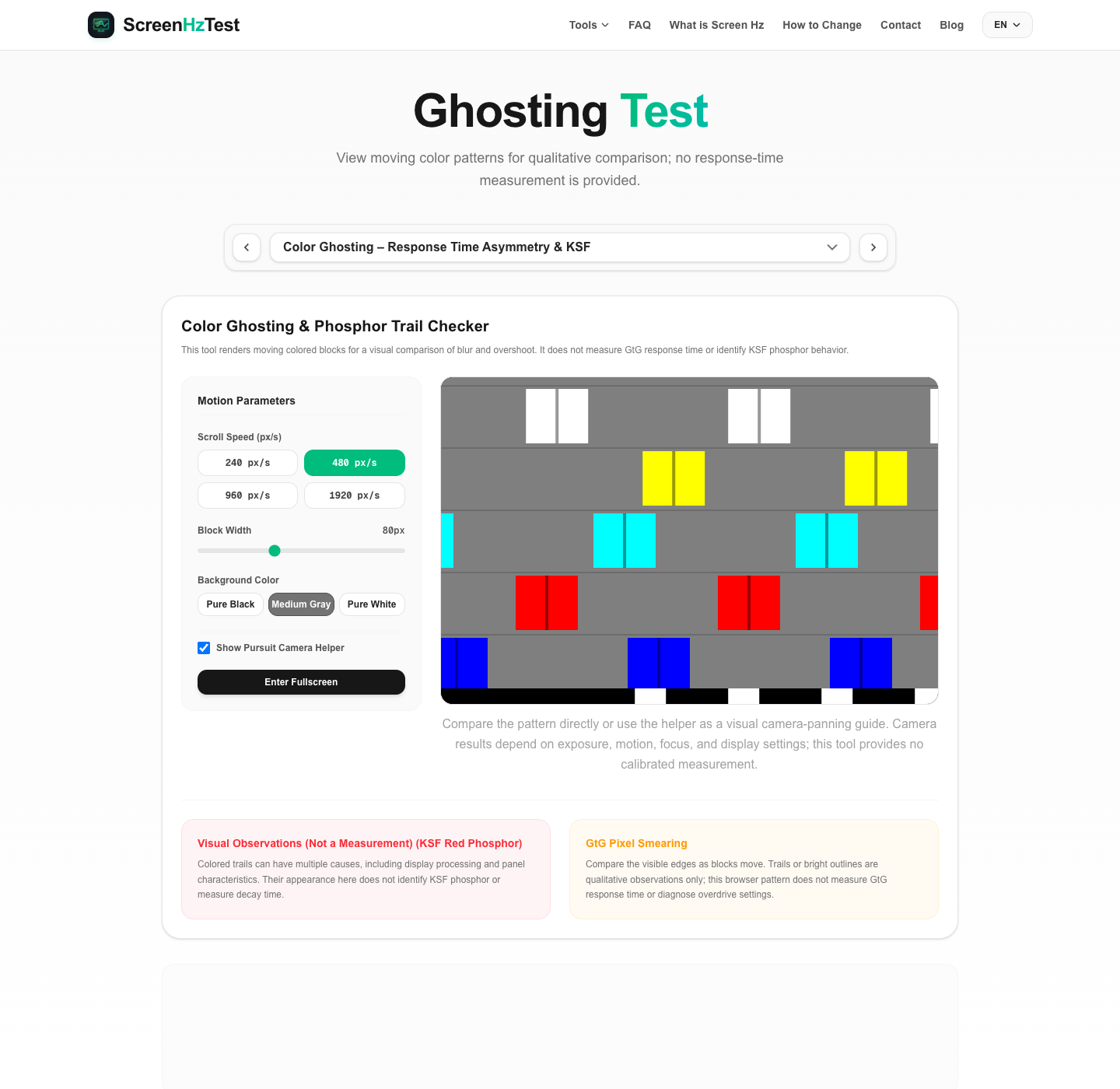
This interactive Color Ghosting & Phosphor Trail Checker renders moving colored blocks for visual comparison. Choose a speed (240, 480, 960, or 1,920 px/s), block width (40–150 px), and black, gray, or white background; toggle the helper line or fullscreen to change the view. The page displays patterns only: it does not measure GtG latency, panel response time, or KSF phosphor decay, and it provides no numeric export.
Understanding Response Time Asymmetry & GtG
GtG (Gray-to-Gray) response time indicates how long it takes for a liquid crystal pixel to shift from one shade of gray (or color) to another. A manufacturer's advertised "1ms response time" is usually a best-case scenario measured under extreme overdrive. In reality, shifting from black-to-white (rising transition) and white-to-black (falling transition) occurs at different rates. This is called **response time asymmetry**.
When pixels change color too slowly, the trailing edge of a moving block will smear across the screen. There are three primary types of motion trails to look out for:
- Standard Smearing (Dark Ghosting): Slower pixel transition times leave a faint, dark shadow behind the moving block. This is highly common in VA panels due to slow black-to-gray transitions.
- Overshoot Coronas (Inverse Ghosting): To make liquid crystals shift faster, monitors apply extra voltage (called overdrive). If the voltage is too aggressive, pixels overshoot their target color, creating a bright, glowing halo or corona trailing the block.
- Color-Specific Trails (Phosphor Trails): Occurs when the response times of the sub-pixel primary channels (Red, Green, Blue) are heavily unbalanced.
What is KSF Red Phosphor Ghosting?
Some wide-gamut LCD displays use KSF phosphors. Colored trailing can depend on panel materials, display processing, overdrive, and capture conditions. This tool cannot identify a display's phosphor type or measure its decay time.
If a colored trail appears behind a moving white or yellow block, record the observation as visual only. A red/orange trail alone does not prove KSF phosphor persistence; panel behavior, image processing, camera exposure, and motion can also affect what is seen.
How to Capture Ghosting Using a Pursuit Camera
A pursuit camera can help compare moving patterns in photographs, but this tool is not a calibrated test chart. Camera exposure, focus, shutter timing, panning speed, and monitor settings affect the image:
- Enable the "Pursuit Camera Helper" to add moving reference stripes below the blocks.
- If your camera supports manual controls, adjust exposure and shutter settings for your setup; there is no single setting that guarantees a calibrated result.
- Pan the camera while tracking the moving pattern. Use the helper stripes as a visual reference, not a measurement standard.
- Photographs can show qualitative differences in the captured pattern, but cannot provide this tool with a GtG value or confirm KSF phosphor behavior.
Frequently Asked Questions about Color Ghosting
How do I fix ghosting on my gaming monitor?
Consult your monitor's manual for the OSD names used for overdrive or response-time settings. Compare supported options on your display; the best setting depends on the model and refresh mode. This browser pattern cannot select or diagnose the OSD setting.
Why does KSF red trailing only happen on wide gamut screens?
Display backlight and phosphor designs vary by model. A browser-rendered red/orange trail does not identify the materials in a panel; check the manufacturer's documentation for panel technology rather than inferring it from this visual pattern.
Does refresh rate affect ghosting?
Yes, indirectly. Higher refresh rates (like 240Hz) reduce the physical time each frame is displayed on screen (4.17ms vs 16.67ms for 60Hz). However, if your monitor's pixel response time is slower than the refresh window, the trails will overlap across multiple frames, making ghosting look even more obvious.