
What Is a Dead Pixel Test?
A dead pixel test fills the whole screen with one flat color at a time so that any pixel behaving differently from its neighbors becomes easy to see. On a busy desktop or a photo, a single faulty pixel hides in the detail. On a uniform field of red, green, blue, black, or white, it stands out immediately.
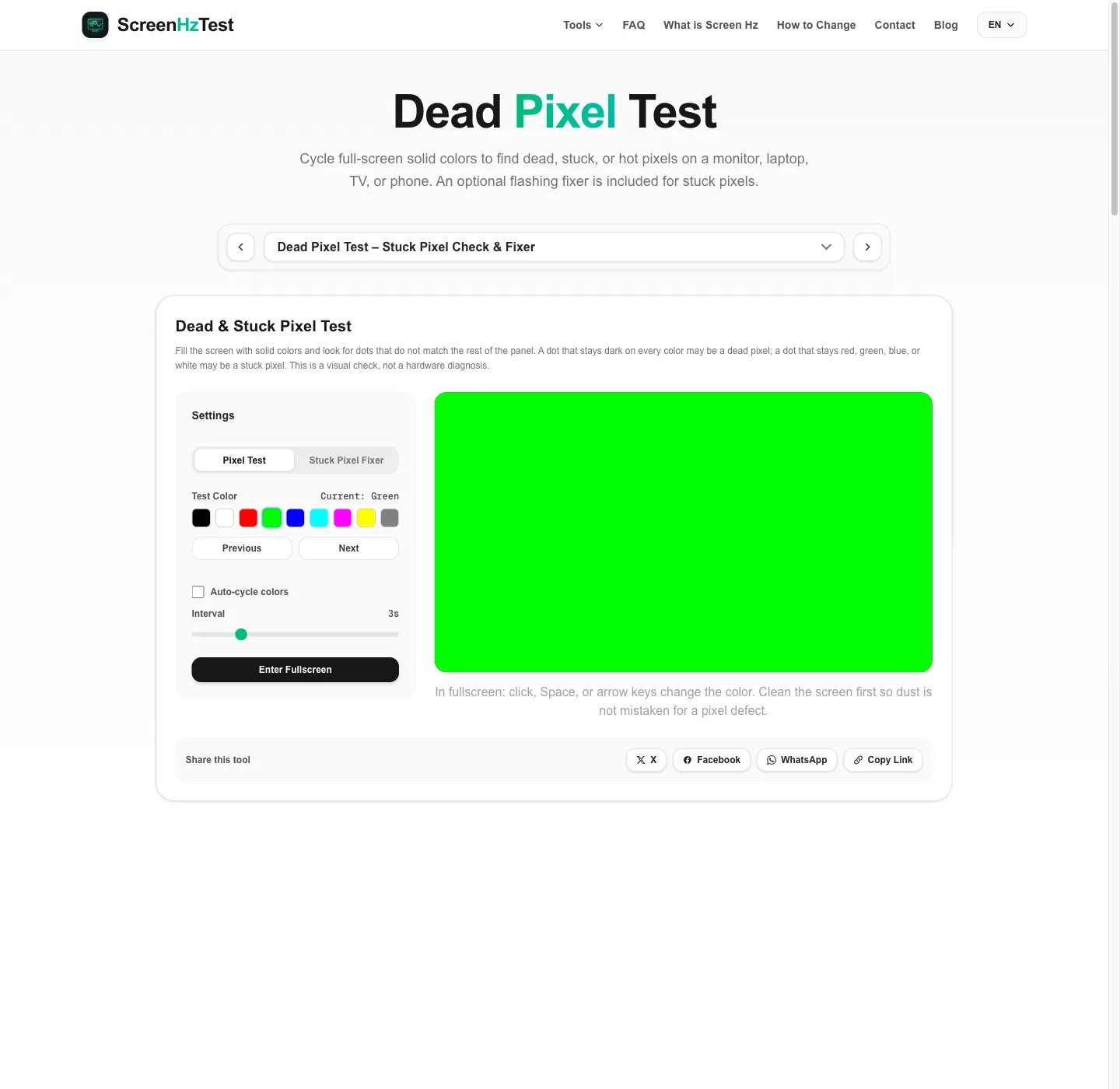
This online dead pixel test cycles through nine colors: black, white, red, green, blue, cyan, magenta, yellow, and 50% gray. You can step through them manually, use the keyboard in fullscreen, or let the tool auto-cycle every 1 to 10 seconds. Nothing is uploaded or measured. The result of a dead pixel test is what you see on your own panel, which is exactly how retailers and repair shops check screens too.
Dead Pixel vs. Stuck Pixel vs. Hot Pixel
Each pixel on an LCD or OLED display is built from red, green, and blue subpixels. When they all work, the pixel can show any color the panel supports. A defective pixel usually falls into one of three groups:
- Dead pixel: stays black or very dark on every color. A dead pixel is easiest to spot on the white and light gray screens.
- Stuck pixel: stays one color, such as red, green, blue, or a mix like cyan. It is most visible on black.
- Hot pixel: stays bright white and stands out clearly on the black screen.
Dust, lint, or a scratch can look like a dead pixel. Dust usually looks the same on every color and may move when you clean the screen, while a real dead pixel or stuck pixel changes appearance as the background color changes.
How to Use This Dead Pixel Test
- Clean the screen with a dry microfiber cloth so dust is not mistaken for a dead pixel.
- Set brightness to a normal level and dim the room. Very high brightness can hide dark defects; a dark room makes bright ones easier to see.
- Enter fullscreen. Click, press Space, or use the arrow keys to change colors. Double click or press ESC to leave.
- Scan in sections on each color: corners, edges, then the center, from about 30 to 50 cm away.
- Record what you find: the color on which the dot appears and its rough position. A phone photo helps if you contact support.
For a longer look at a single color, the black screen is best for stuck and hot pixels, and the white screen is best for dark dead pixels.
Dead Pixel Test for Monitors, Laptops, Phones, and TVs
Monitors
Run the dead pixel test at the monitor's native resolution with scaling left at its default. If you use more than one display, drag the browser window to the monitor you are checking before entering fullscreen.
Laptops
Plug in the charger so power-saving modes do not dim the panel during the dead pixel test. A dark mark that is several pixels wide or has soft edges may be pressure damage rather than a single dead pixel.
Phones and tablets
Rotate the device to landscape and tap the canvas to step through the dead pixel test colors. Turn off auto-brightness and night mode, which can tint the screen and make a stuck pixel harder to judge.
Smart TVs
Open the dead pixel test in the TV's built-in browser, enter fullscreen, and view from your usual seat first, then from closer up. Picture modes with heavy sharpening can make a single pixel look larger.
Found a Dead Pixel? What to Do Next
Start by documenting the dead pixel: a photo, the color on which it appears, and where it sits on the screen. Then check your options for a dead pixel on a new screen. Most retailers accept returns within a fixed window, so test new displays as soon as they arrive. After that, the manufacturer's pixel policy applies. Many brands base these policies on defect classes from display ergonomics standards such as ISO 9241-303, and they often treat bright defects and defects near the center more strictly than a single dark dead pixel near the edge.
Avoid pressing or rubbing the panel. Pressure methods shared online can damage the liquid crystal layer or the OLED stack and may complicate a warranty claim.
Can a Stuck Pixel Fixer Repair a Dead Pixel?
The second mode of this dead pixel test is a stuck pixel fixer. It flashes a grid of random red, green, and blue blocks every frame inside a square you can drag over the problem area. Some users report that rapid switching gets a stuck subpixel to respond again, but there is no reliable data on how often this works. A dead pixel that stays black on every color is unlikely to change.
The fixer only starts after you confirm a warning, because flashing patterns can trigger seizures in people with photosensitive epilepsy. Look away while it runs, keep sessions to 10 to 20 minutes, and stop after a few attempts if nothing changes.
Why Use This Online Dead Pixel Test
- No download: the dead pixel test runs in any modern browser on desktop, mobile, and TV.
- True fullscreen: the colors fill the whole panel, and the exit hint disappears after three seconds so it does not hide a defect.
- Nine test colors plus auto-cycle: enough to separate a dead pixel from a stuck or hot pixel.
- Private: the dead pixel check happens on your device; nothing is uploaded, and no camera or screen capture is used.
- Part of a display toolkit: continue with the screen Hz test or the color ghosting test to check other aspects of the same screen.
Dead Pixel Test FAQ
What is the difference between a dead pixel and a stuck pixel?
A dead pixel stays dark on every color because it does not light up. A stuck pixel stays lit in one color, often red, green, blue, or white, because one or more subpixels stay on. A dead pixel test shows both patterns by changing the background color.
Can a dead pixel be fixed?
A true dead pixel that stays black is generally not repairable with software. Stuck pixels sometimes respond to rapidly flashing colors, but results are not guaranteed. If the display is still under warranty, document the dead pixel before trying anything else.
How long should a dead pixel test take?
Five minutes is enough for most screens: about 10 to 15 seconds per color, scanning corners, edges, and the center. Run the dead pixel test again after cleaning if you are unsure whether a mark is dust.
Is one dead pixel covered by warranty?
It depends on the manufacturer's pixel policy. Many brands accept a small number of defects before offering a replacement, and rules often differ for bright and dark defects and for the center of the screen. Check your model's warranty terms and the retailer's return window.
Does this dead pixel test work on phones and TVs?
Yes. Any device with a modern browser can run the dead pixel test. Fullscreen support depends on the browser; iPhone Safari may keep the address bar visible, so rotate the phone and scroll slightly. On a smart TV, open the page in the TV browser.
Why do I see a dot on one color but not on others?
A subpixel that is stuck on stands out on colors where it should be off. A stuck red subpixel is easy to see on black, green, or blue and nearly invisible on red or white, which is why a dead pixel test cycles through several colors.